

Updating Your Integration to be a Marketplace (Public) integration
Overview
This document covers the technical changes you need to make to your integration in the Hover UI for it to be a "public or marketplace" integration. To learn more about actually creating and submitting an integration for the marketplace, please go here.
Who can make Marketplace integrations?
Accessing the integration marketplace is available for Hover users with Admin permissions. If you are not an admin on your account, you will not be able to view other marketplace integrations or submit your own integrations to the Hover marketplace.
Additionally, if you intend to have your integration posted within the public Hover marketplace, you will need to fill out and submit all information covered in our guide on Marketplace Integration Information Requirements, and sign Hover’s standard public integration terms of service. To request a copy of the Public Integration Terms of Service to review, please reach out to [email protected]. Marketplace approval is subject to approval by Hover's Integration Review Board.
Changing your Integration Visibility
From your Hover home page, click on your email address in the top right corner and navigate to the Settings page. Click on the Developer tab from the menu on the left side of your screen.
On this page, you will see a list of all of the integrations that you have created within this Hover org. Select the integration that you wish to submit to the Hover marketplace. By default, the Visibility option is configured to My Team Only. When you are ready to submit your application for marketplace approval, toggle the Visibility option from My Team Only to Public Marketplace.
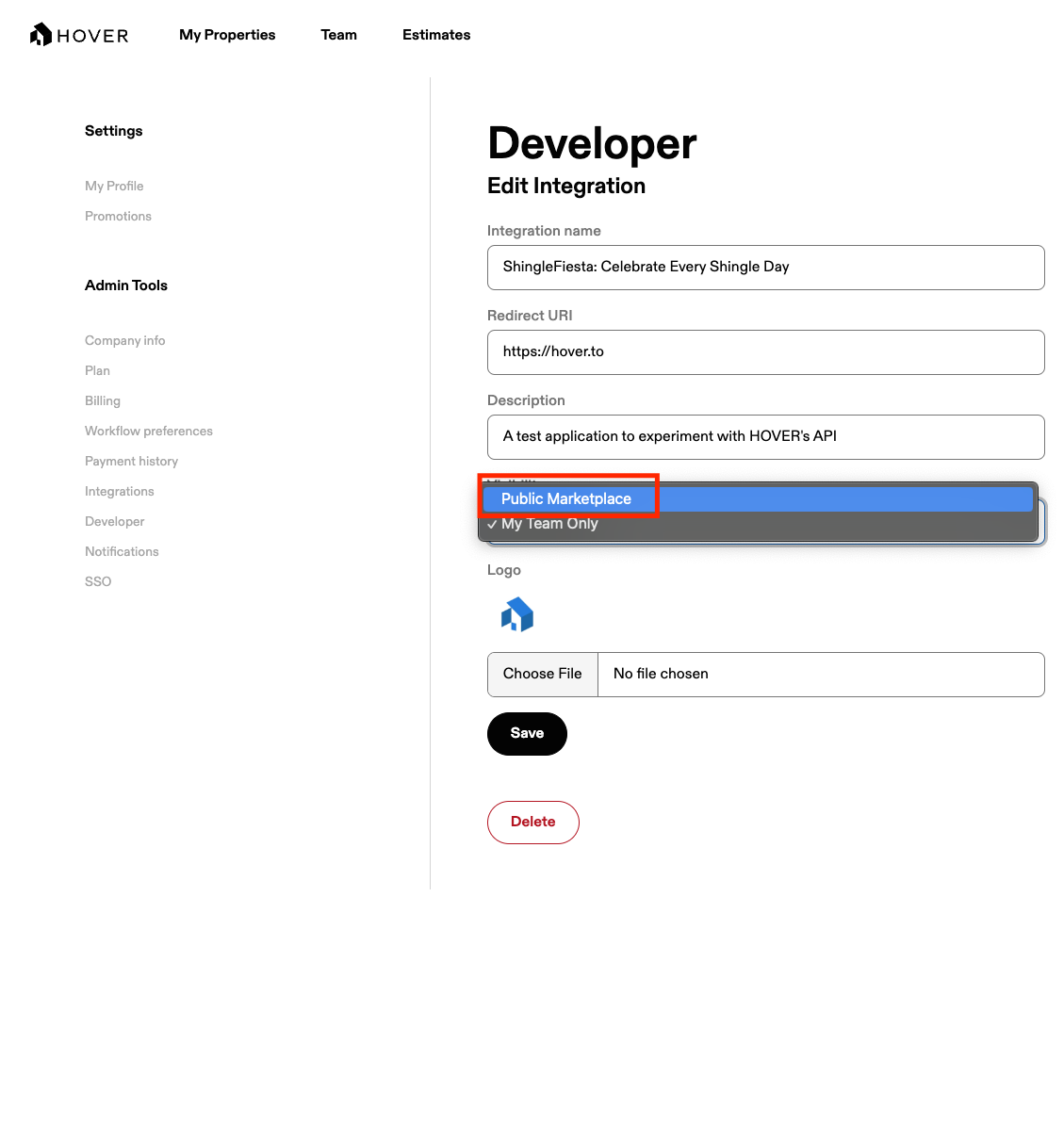
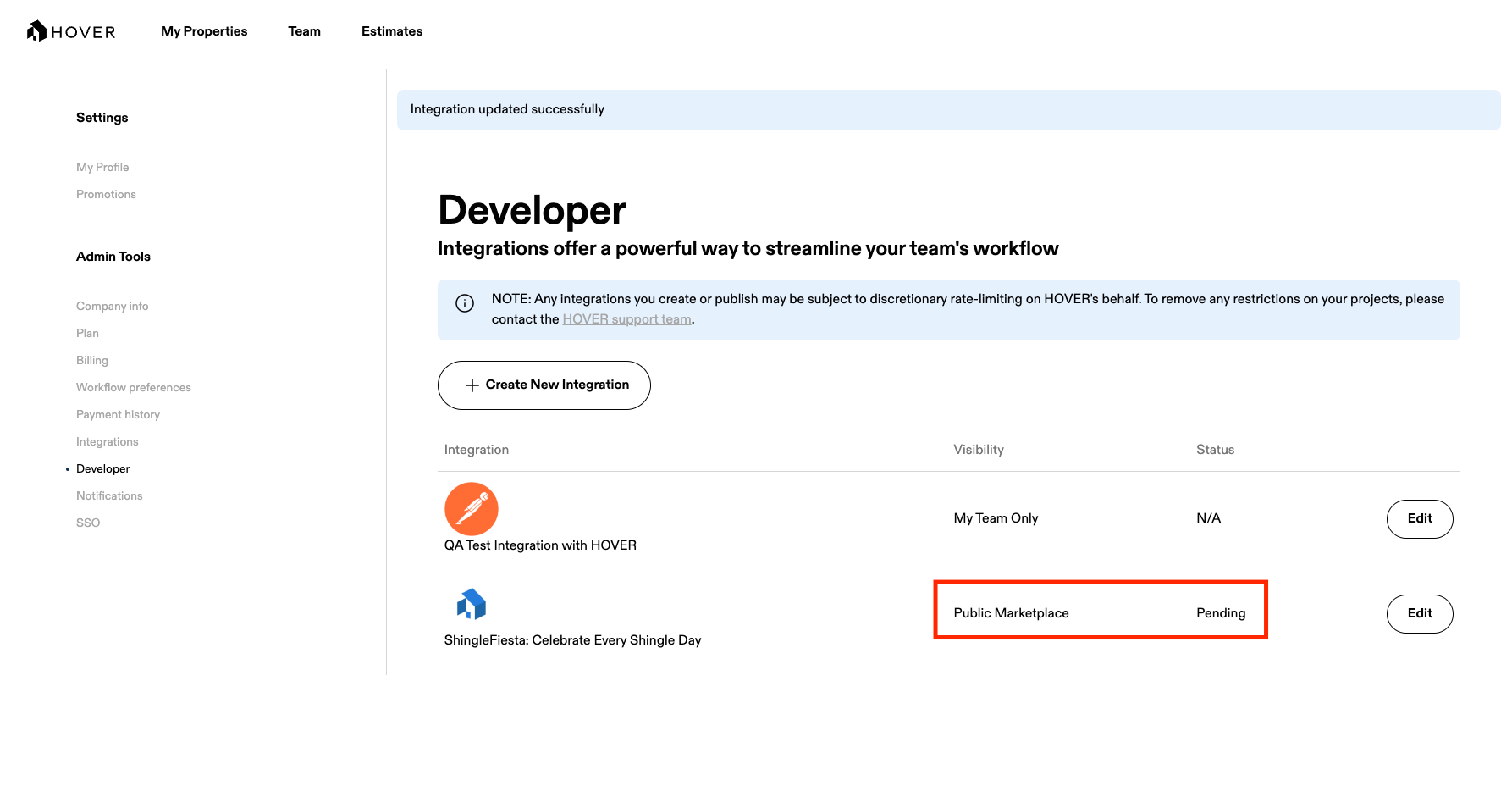
Once you've selected the Public Marketplace option, save your changes. Hover's Integration Review Board will be notified and you will see a Pending value in the status column.
The Marketplace Validation Process
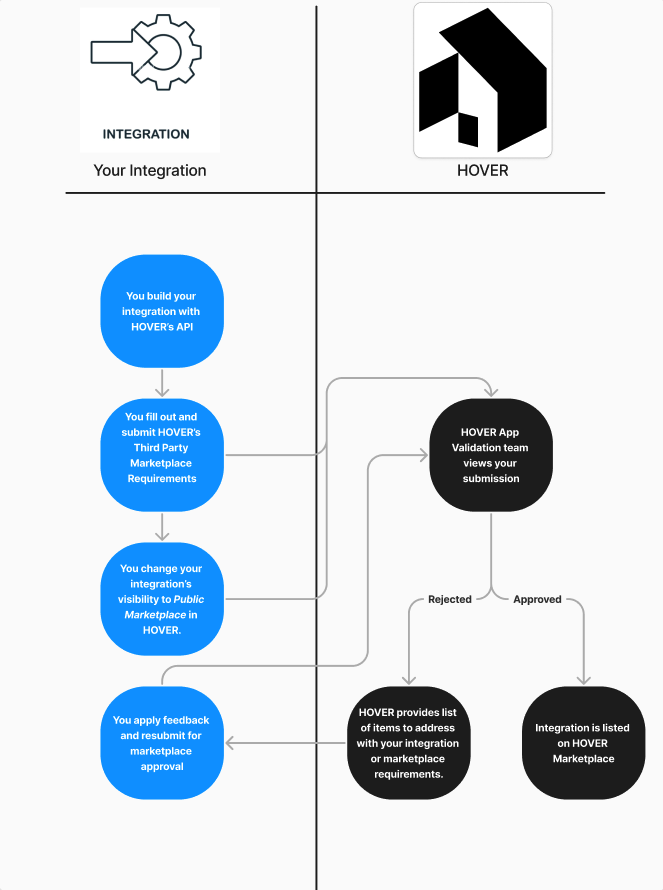
Once you have submitted all Marketplace Integration Information Requirements to Hover and flagged your integration to be available on Hover's marketplace, our Integration Review Board will thoroughly review your submission details against the requirements and follow up with any questions. Upon approval to be placed on Hover's Marketplace, the Integration Review Board will make your integration available to customers on our platform. An overview of this process can be found in the workflow diagram below:
Updated about 2 hours ago