

Connecting to Cursor
This guide will walk you through how to connect Hover MCP to your Cursor IDE
1. Navigate to Cursor Settings
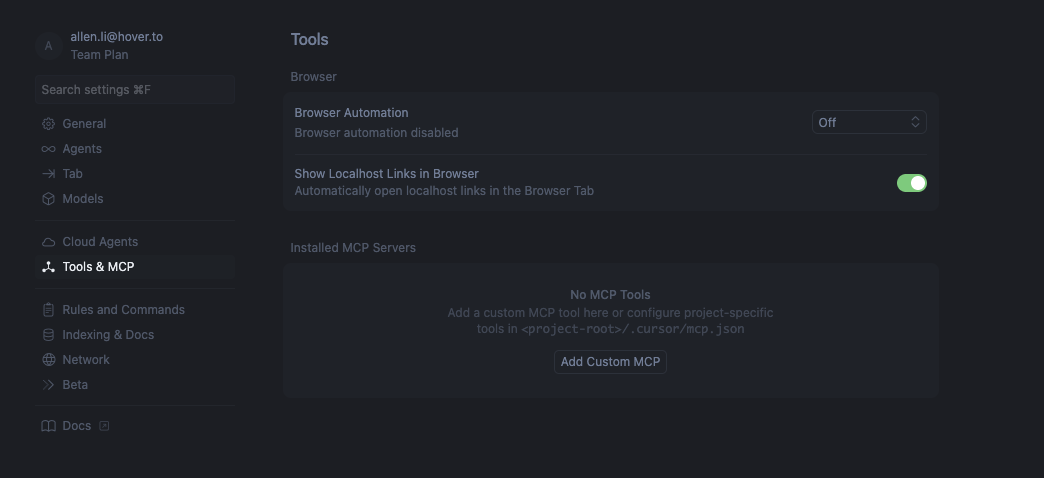
Navigate to the Cursor settings page and click on the "Tools & MCP" Tab. It should look something like this:
2. Add Custom MCP
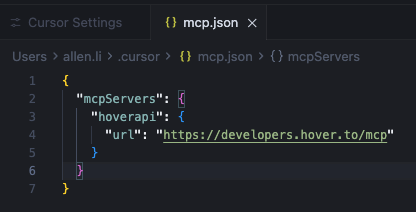
Click on the "Add Custom MCP" button which will take you to the mcp.json file. Copy and paste in the text block from the Connecting Hover MCP guide:
Begin MCP Usage
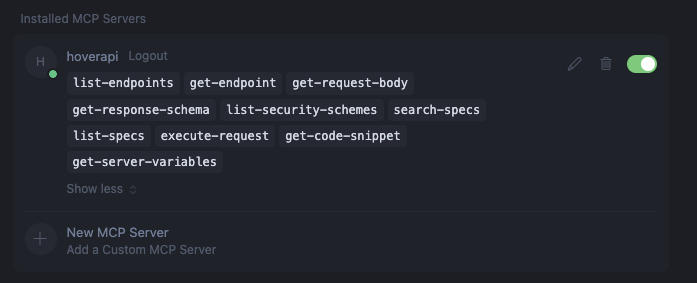
After a successful connection you'll see the following in your Installed MCP Servers section of Cursor settings. Now your built-in chat bot will be able to access the Hover MCP. Happy developing!
Updated 7 months ago
Did this page help you?